Global Activation Guide
Are you getting a region restriction error while activating your F-Secure Subscription?
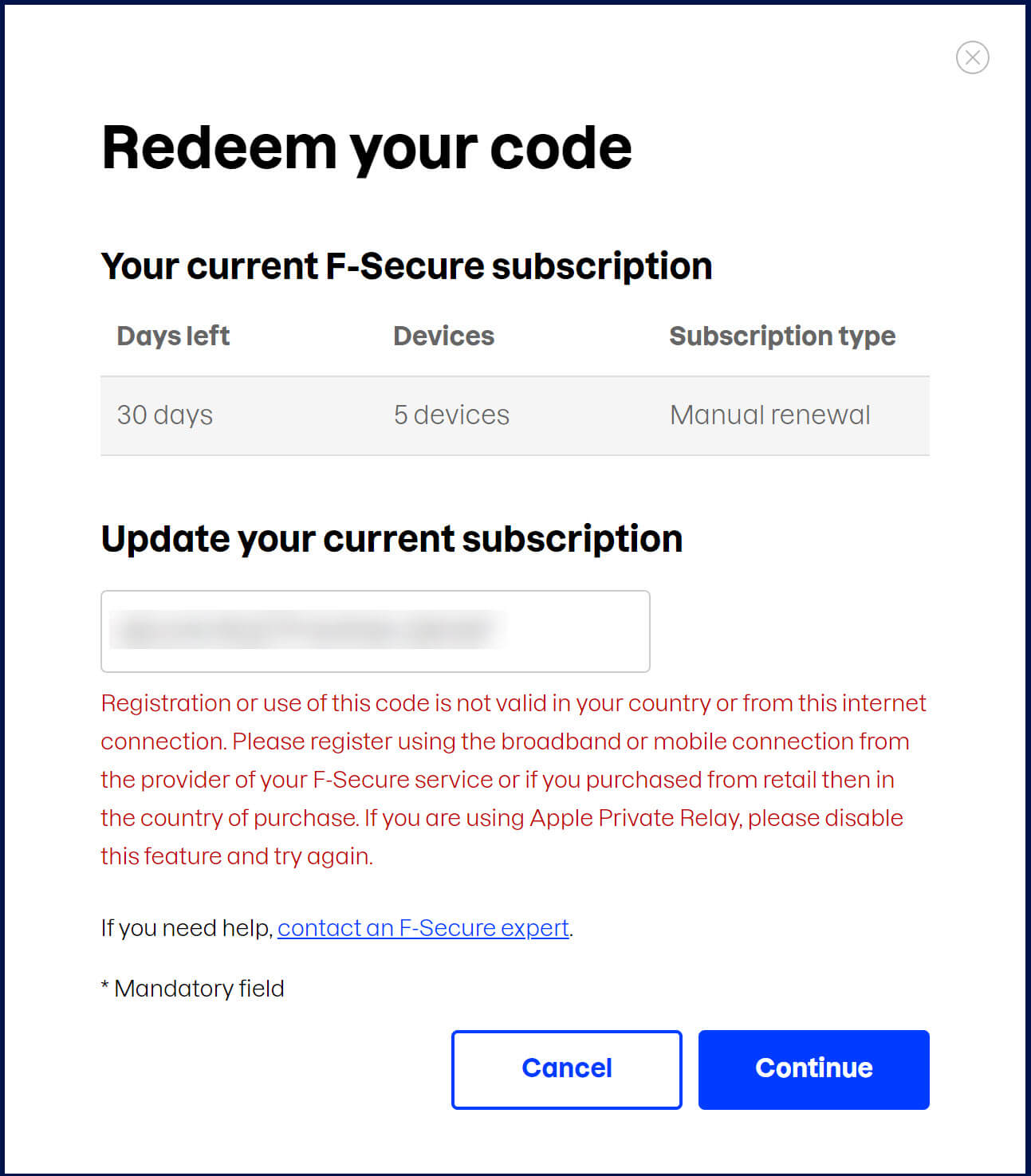
There is a one-time workaround for global activation. Please follow the steps below:
1. If you have a VPN, connect to the USA server, Restart your Browser and proceed with the activation. Once the activation is complete, and the subscription is in your F-Secure account, disconnect the VPN. You will not need it anymore.
If you do not have a VPN, you can have a reputed FREE VPN by following the steps below:
2. Download and Install TunnelBear: (Official Download Links)
Windows: https://tunnelbear.s3.amazonaws.com/downloads/pc/TunnelBear-Installer.exe
Mac: https://s3.amazonaws.com/tunnelbear/downloads/mac/TunnelBear.zip
3. Create a free account on the VPN app and verify the account email.
4. Once the account is ready, connect to "United States."

5. Once the connection is ready, Logout from F-Secure account and Restart your Browser. This step is important to ensure that your browser is detecting the correct VPN Server.
6. Open and login to your F-Secure account, Visit the "Subscriptions" section, then in Manage Subscriptions section select "Enter Subscription Code".
https://my.f-secure.com/portal/order
7. Once the activation is over, you can stop the TunnelBear VPN connection and uninstall it if you wish. All the Existing installations or new installations from your F-Secure account will detect the subscription from your account and activate itself.